> ## Documentation Index
> Fetch the complete documentation index at: https://docs.lobbystack.com/llms.txt
> Use this file to discover all available pages before exploring further.
# Introduction
> LobbyStack helps businesses answer calls, capture caller details, book appointments, and follow up from one operator dashboard.
LobbyStack is an AI receptionist for businesses that rely on phone calls. It answers calls through a dedicated business phone number, uses your saved business knowledge to respond to callers, helps with appointment booking and appointment changes when your services and calendar are connected, and keeps calls, messages, contacts, appointments, transcripts, and recordings organized in one dashboard.
Start with the quick start if you are setting up LobbyStack for the first time. If your workspace is already live, use the dashboard guides to review activity, tune your agent, and keep follow-ups moving.
Want the quickest way to get started? Create an account for free.
Create an account, verify your mobile number, import website knowledge, and claim a phone number.
Set the greeting, business knowledge, services, and handling rules.
Review calls, messages, contacts, appointments, follow-ups, and analytics.
Connect Google Calendar and configure SMS behavior.
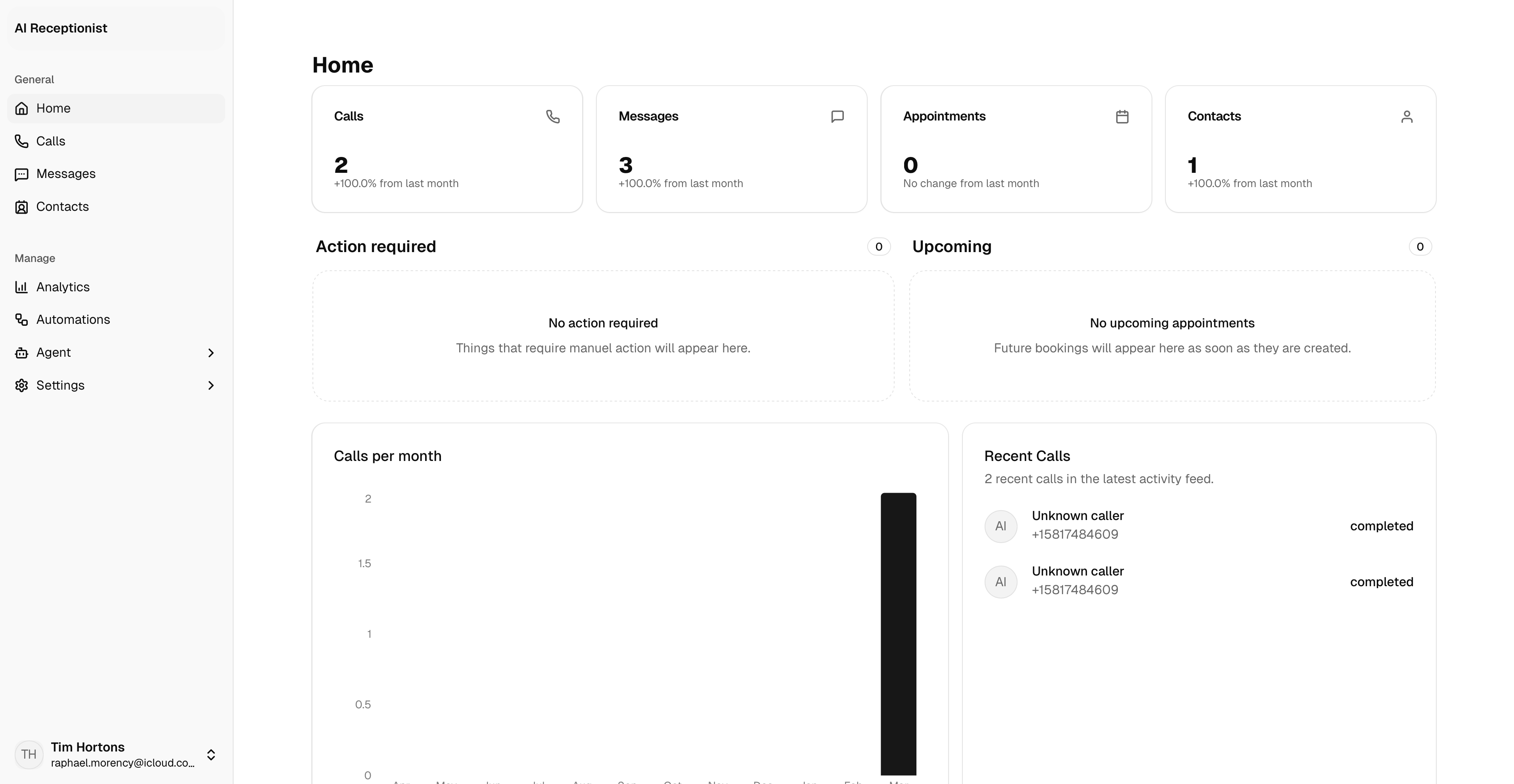 *The Home dashboard brings together recent calls, messages, follow-ups, appointments, and trends.*
## What LobbyStack helps with
* Answer inbound calls through a dedicated LobbyStack number.
* Use a saved greeting and fallback language for unclear caller audio.
* Search knowledge from text entries, uploaded documents, and imported public website pages.
* Help callers schedule, cancel, or reschedule appointments when services and Google Calendar are configured.
* Transfer a live call to a configured phone number when transfer policy allows it.
* Take callback or follow-up messages when a transfer is not possible or a caller wants staff to follow up.
* Store calls, transcripts, recordings, contacts, SMS conversations, appointments, and dashboard summaries.
* Support hosted plans, usage tracking, and self-hosted deployments.
## Main dashboard areas
| Sidebar area | Pages | What it is for |
| ------------ | --------------------------------------- | ---------------------------------------------------------------------------------------------------------------------------------------- |
| **General** | Home, Calls, Messages, Contacts | Review daily activity, call history, SMS conversations, and caller profiles. |
| **Agent** | AI settings, Knowledge, Services, Rules | Configure how the AI receptionist greets callers, answers questions, explains services, books appointments, and escalates conversations. |
| **Manage** | Analytics, Integrations, Settings | Track performance, connect Google Calendar and SMS, manage usage, billing, account details, and preferences. |
*The Home dashboard brings together recent calls, messages, follow-ups, appointments, and trends.*
## What LobbyStack helps with
* Answer inbound calls through a dedicated LobbyStack number.
* Use a saved greeting and fallback language for unclear caller audio.
* Search knowledge from text entries, uploaded documents, and imported public website pages.
* Help callers schedule, cancel, or reschedule appointments when services and Google Calendar are configured.
* Transfer a live call to a configured phone number when transfer policy allows it.
* Take callback or follow-up messages when a transfer is not possible or a caller wants staff to follow up.
* Store calls, transcripts, recordings, contacts, SMS conversations, appointments, and dashboard summaries.
* Support hosted plans, usage tracking, and self-hosted deployments.
## Main dashboard areas
| Sidebar area | Pages | What it is for |
| ------------ | --------------------------------------- | ---------------------------------------------------------------------------------------------------------------------------------------- |
| **General** | Home, Calls, Messages, Contacts | Review daily activity, call history, SMS conversations, and caller profiles. |
| **Agent** | AI settings, Knowledge, Services, Rules | Configure how the AI receptionist greets callers, answers questions, explains services, books appointments, and escalates conversations. |
| **Manage** | Analytics, Integrations, Settings | Track performance, connect Google Calendar and SMS, manage usage, billing, account details, and preferences. |