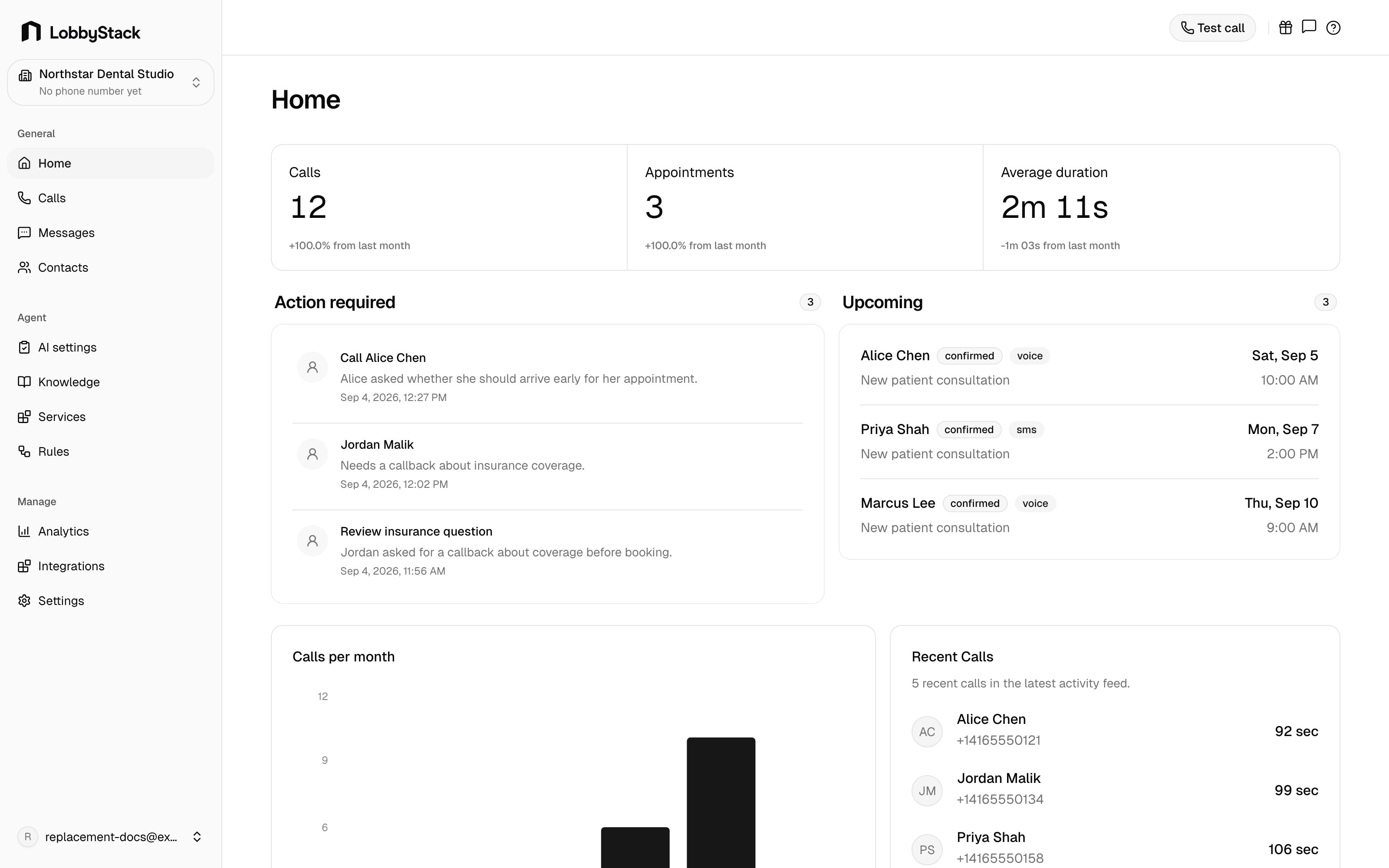
The Home page is the daily operating view for your workspace. It brings together recent calls, follow-up tasks, upcoming appointments, and high-level activity so your team can decide what to handle next. LobbyStack Home dashboard Use Home at the start of a shift to see what needs attention before opening individual calls or messages.

What Home shows

SectionWhat it is for
KPIsMonthly counts for calls, messages, appointments, and contacts.
Action requiredFollow-up tasks that still need a human response, such as callbacks or handoff requests.
UpcomingThe next booked appointments on the calendar.
Calls per monthA monthly call-volume chart based on saved call records.
Recent callsThe latest inbound call activity with caller, timing, and outcome details.

Review follow-ups

1

Open Home

In the dashboard sidebar, go to General > Home.
2

Check Action required

Review callbacks, human handoff requests, and other follow-up items.
3

Open the related call

Select the item or open the related call from Calls to review the transcript, recording, and details.
4

Complete the task

After your team follows up, mark the task done from the call detail page.

Use Home at the start of a shift

Start with Action required, then check Upcoming appointments, then scan Recent calls for anything unusual. This keeps the team focused on customers who need a response instead of making them search through every call and message.