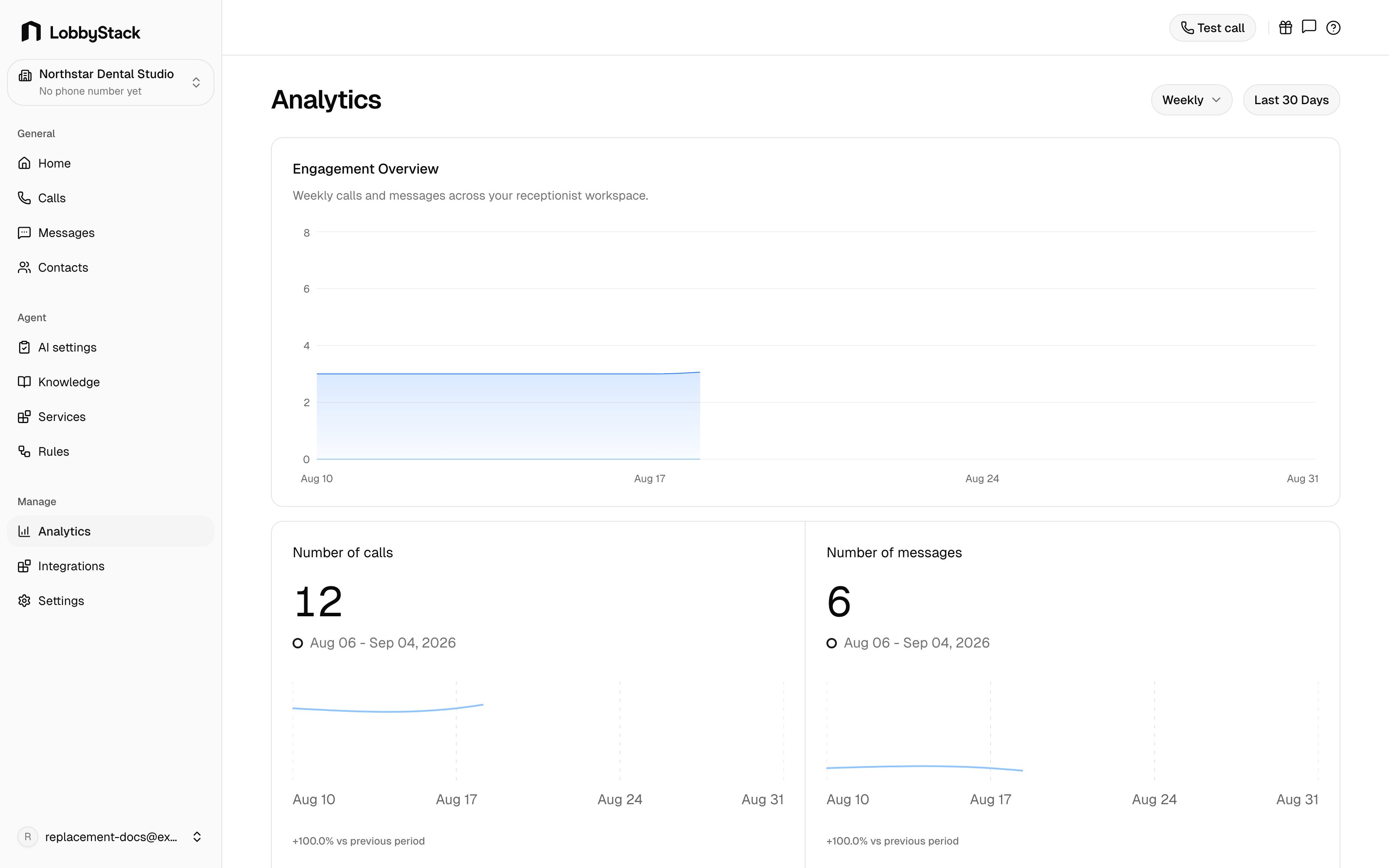
The Analytics page helps you understand how customers are using your receptionist. It summarizes weekly activity and shows whether calls, messages, appointments, and average call duration are moving up or down. LobbyStack Analytics page Analytics helps you spot workload changes and decide where to tune your agent or follow-up process.

What Analytics shows

SectionWhat it is for
Engagement overviewWeekly calls and messages in one chart.
Calls this weekCall count and change compared with the previous week.
Messages this weekSMS conversation activity and weekly change.
Appointments bookedBooking volume and weekly change.
Average call durationTypical call length and week-over-week change.
Call outcomesCompleted, transferred, live, and missed call outcomes.
ChannelsThe share of activity coming from voice, SMS, and other channels.

Review performance

1

Open Analytics

In the dashboard sidebar, go to Manage > Analytics.
2

Check weekly movement

Look at the metric cards to see whether call, message, appointment, and duration trends changed from the previous week.
3

Review outcomes

Use Call outcomes to see whether calls are completing, transferring, or being missed.
4

Compare channels

Use Channels to understand how much activity is coming through voice, SMS, and other sources.
SignalWhat to check
Calls are risingReview whether the team needs more coverage for follow-ups, transfers, or booking requests.
Messages are risingCheck active conversations and decide whether more threads should stay automated or be handled by staff.
Appointments are risingReview upcoming appointments and make sure services and calendar settings still match your capacity.
Missed or failed outcomes increaseOpen recent calls, review transcripts, and adjust knowledge, rules, or transfer settings if callers are getting stuck.
Average duration changes sharplyLonger calls can mean callers need more explanation; shorter calls can mean answers are easier to find or calls are ending early.

Weekly review routine

  1. Start with the metric cards to see what changed.
  2. Review Call outcomes for missed, failed, or transfer-heavy patterns.
  3. Open Calls for examples behind the trend.
  4. Update Knowledge or Rules when callers are repeatedly asking about the same topic.
  5. Recheck Analytics after the next busy period to see whether the change helped.

When to use it

Use Analytics when you want to understand workload, spot changes in caller behavior, or decide whether your agent setup needs adjustment. For individual conversations, use Calls, Messages, and Contacts.