

- Partner: your company, the one that resells
- Business: each client you set up, with its own receptionist, phone number and team
- Owner: the person at a business who signs in and runs its receptionist
- Host: the company that runs the deployment, which is LobbyStack on
app.lobbystack.com
On a self-hosted deployment, the company that runs it is the host. Its domain, its prices and its configuration decide which of the features below you get.
What your clients see under your brand
Each business you set up sees your brand, from its first email to its invoices:- your dashboard address: a subdomain such as
acme.receptionistportal.com, and on a paid tier a subdomain of your own website, such asapp.acmeagency.com - your name, logo, favicon and brand color on the sign-in pages, the dashboard and the browser tab
- emails under your name, with replies going to your support email
- your terms, privacy and support links below the sign-in form and in the dashboard’s account menu
- a checkout, invoices and receipts in your company’s name
- the website chat widget, loaded from your address
What you run from the partner console
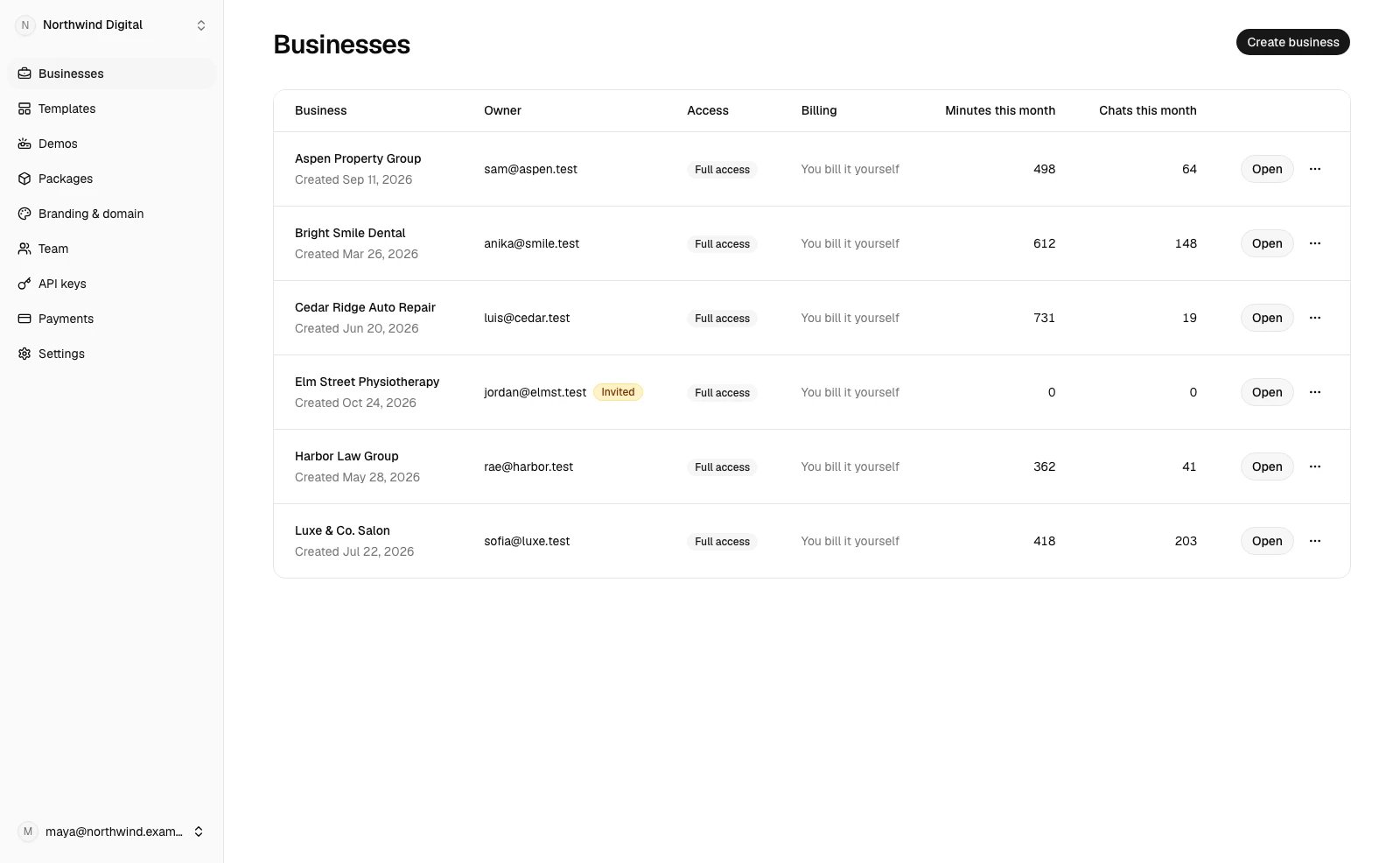
The partner console is where you and your team run every business. Open it athttps://app.lobbystack.com/partner, or at /partner on your own address. Each page covers one job, and your role decides what you can do there:
The Billing page shows up once the host sells tiers or sets your pool.
How billing works between your clients, you and LobbyStack
Your businesses pay you, and you pay LobbyStack, on two separate bills: You set your own prices. A package is a monthly price, an optional setup fee and the minutes and chats each month includes. Each business pays for its package at a checkout in your company’s name, and the money goes to your payment account. LobbyStack takes no share of those payments. You can also bill a business yourself, outside LobbyStack. You pay LobbyStack for a tier. Each tier has a monthly price and a pool of minutes and chats that all your businesses share. Past the pool, your businesses keep answering and you pay your tier’s overage rates, up to a monthly cap you choose. Free costs nothing and needs no card. A call or chat counts against the business’s package, when it has one, and against your pool. Once a business reaches either limit, its calls forward to its transfer number or its owner’s phone.Where LobbyStack’s name still appears
A few places name LobbyStack, because they run on LobbyStack’s own accounts:- Sign-in: your addresses offer email and password, without Continue with Google, since Google’s screen would name LobbyStack’s app.
- Google Calendar and Instagram: their consent screens name LobbyStack when a business connects them, then send the person back to your address.
- Text messages: texts come from LobbyStack’s verified number. A customer’s first appointment text and the reply to HELP name LobbyStack and the business. The code that verifies a person’s phone names LobbyStack. Other texts name only the business.
- The console on LobbyStack’s domain:
app.lobbystack.com/partnershows LobbyStack’s brand. On your address, the console shows yours.
Start reselling
Setting up takes five steps, and you can bill your first business yourself before you connect payments:1
Sign up as a partner
Create your partner account and pick your dashboard address. See Sign up as a partner.
2
Add your brand
Upload your logo and set your name, color and links. See Brand your dashboard and connect your domain.
3
Connect payments and create a package
Connect your payment account and define what businesses pay you. See Bill your businesses with packages.
4
Create a business
Create your first business and invite its owner. See Create and run your clients’ businesses.
5
Choose a tier
Stay on Free while you try it, then pick a paid tier for more minutes, phone numbers and your own domain. See Choose a tier and manage what you pay LobbyStack.